In the rapidly evolving digital landscape of 2026, video content has become the king of social media. However, traditional video production is often a grueling process, requiring creators to spend endless hours scripting, searching for B-roll, and mastering complex editing software.
- What Are the Best Free AI Video Generators in 2026?
- How Can I Make AI Videos for Free Without a Watermark?
- Step-by-Step: How to Turn Text Into Video Using AI
- 1. Write a Descriptive Prompt
- 2. Choose the Right Aspect Ratio
- 3. Generate and Refine
- 4. Final Touches (Post-Production)
- The Future of Content Creation
- Frequently Asked Questions (FAQs)
The rise of AI video generators has completely revolutionized this workflow. These powerful tools can now transform simple text prompts into professional-quality videos in a matter of minutes. For creators who leverage these tools early, the advantage in speed and production scale is massive. While premium plans offer more features, today’s free AI tools are more than enough for beginners to start their journey.
What Are the Best Free AI Video Generators in 2026?
There is no “one size fits all” when it comes to AI video. Depending on whether you are making cinematic reels, faceless YouTube videos, or business presentations, different tools will serve you better.
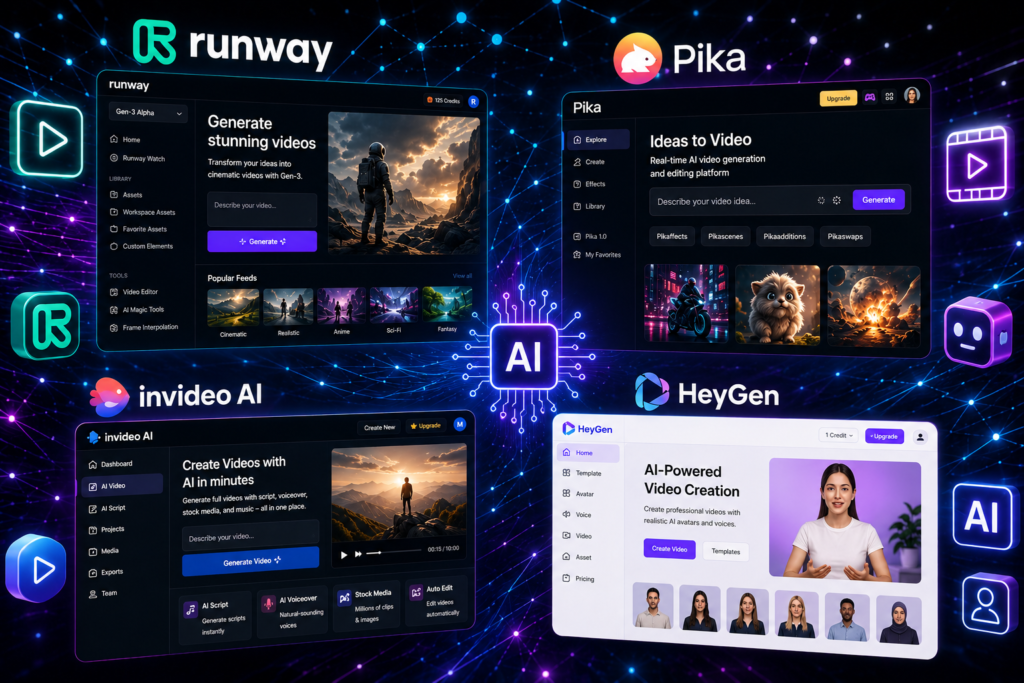
Top Free AI Video Tools Comparison
| Tool Name | Best Used For | Free Plan Features |
| Runway Gen-3 | Cinematic & Realistic Clips | Monthly Credit System |
| Pika Labs | Animation & Visual Effects | Daily Free Credits |
| InVideo AI | Faceless YouTube Content | Limited Monthly Exports |
| HeyGen | Realistic AI Talking Avatars | Trial Credit Access |
| Synthesia | Professional Presentations | Free Demo Mode |
According to a report by The Verge, the boundary between AI-generated and real-world video is blurring faster than anyone predicted, making these tools essential for modern digital storytelling.
How Can I Make AI Videos for Free Without a Watermark?
One of the biggest hurdles for creators on free plans is the brand watermark. While upgrading to a paid plan is the most straightforward solution, many savvy creators use these smart strategies to keep their content looking professional for free:
- Smart Cropping: Write your AI prompts in a way that the main action stays centered, allowing you to crop the edges (where the watermark usually sits) in a mobile editor.
- Logo Overlays: Use free editors like CapCut or Canva to place your own brand logo directly over the AI tool’s watermark.
- Utilize Open Source Tools: Explore platforms like Hugging Face that host open-source AI models, which often provide watermark-free exports for those willing to learn a bit of technical navigation.
Step-by-Step: How to Turn Text Into Video Using AI
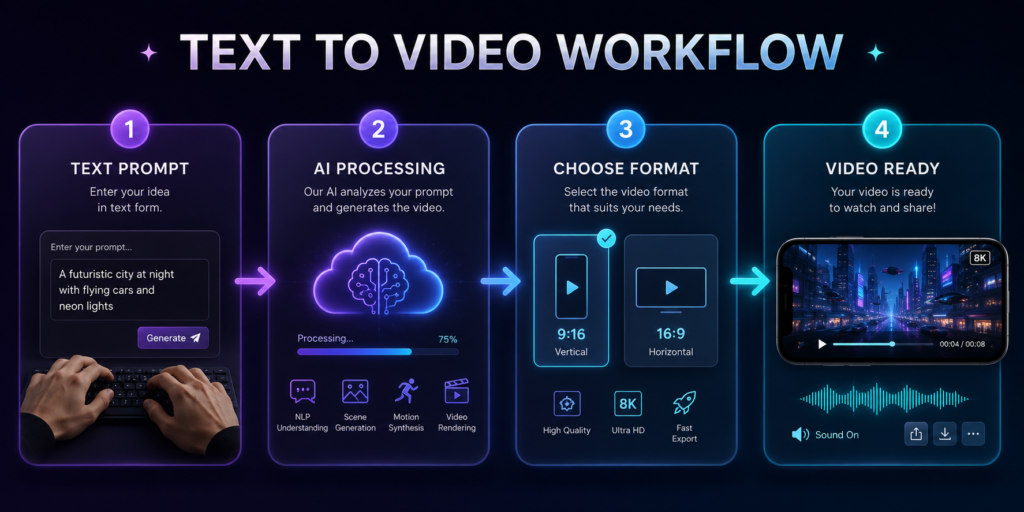
Turning an idea into a viral video follows a simple, repeatable workflow. Master these four steps to get the best results every time:
1. Write a Descriptive Prompt
Don’t be vague. Instead of saying “a car driving,” try: “A cinematic low-angle shot of a classic black sports car driving through a rainy Tokyo street at night, neon lights reflecting on the pavement, 4K resolution.”
2. Choose the Right Aspect Ratio
- 9:16 for Instagram Reels, TikTok, and YouTube Shorts.
- 16:9 for traditional YouTube videos and widescreen presentations.
3. Generate and Refine
Always generate 2-3 variations of your prompt. AI can be unpredictable, and sometimes the second or third version has the perfect lighting or motion you were looking for.
4. Final Touches (Post-Production)
Once exported, bring your clip into a free editor to add background music, voiceovers, and captions to make the video engaging.
The Future of Content Creation
AI is not here to replace content creators; it is here to give them superpowers. It removes the technical bottlenecks of editing and allows you to focus purely on your creative vision. By starting with these free tools today, you are learning the “Prompt Engineering” skills that will be the most valuable assets in the future of the digital economy.
Success Habits for AI Creators
- Learn Prompt Writing: The better you describe it, the better the AI builds it.
- Consistency over Perfection: Use AI to publish more frequently.
- Keep Learning: AI technology changes every week; stay updated with our blog.
Frequently Asked Questions (FAQs)
Which AI video generator is best for YouTube?
For faceless YouTube channels, InVideo AI is currently the best because it handles everything from the script to the final voiceover and visual assembly.
Can I really generate a video for free?
Yes! Tools like Pika Labs and Runway offer free daily or monthly credits that allow you to experiment and export videos without spending a penny.
Do I need a powerful PC for AI video?
No. Most of these tools are cloud-based, meaning all the heavy processing happens on their servers. You only need a stable internet connection.
How do I remove watermarks legally?
The best way is to use the “Smart Cropping” method or overlay your own branding using a free video editor like CapCut.
Creator’s Tip: AI video is just one part of the modern creator’s toolkit. If you are also running a startup or looking to scale your brand, don’t miss our specialized guide on Free AI Tools for Small Business. Combining video AI with general business AI tools is the secret to 10x growth with zero investment!